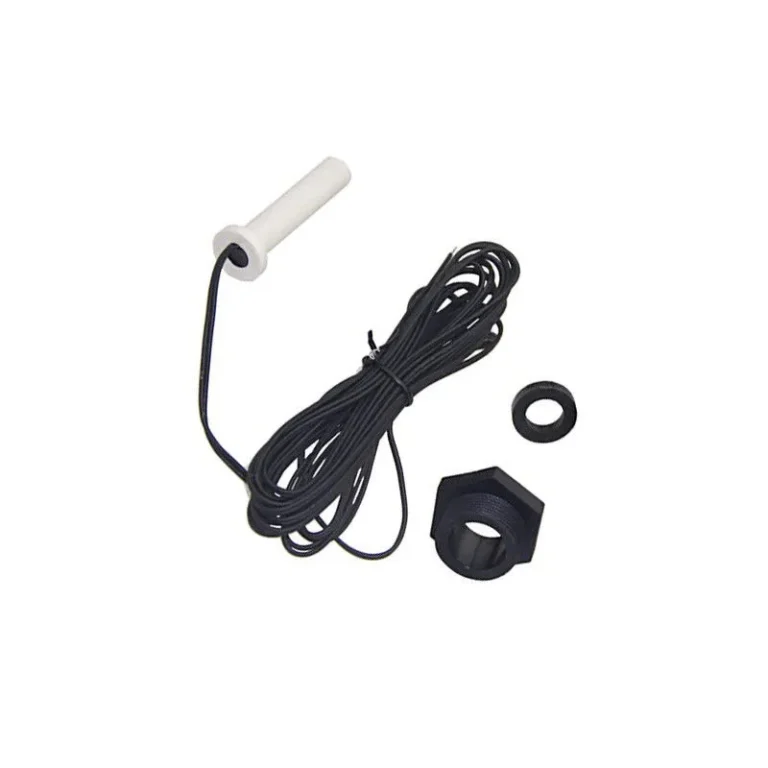
Monitor 441 Heater Troubleshooting
Your Monitor 441 heater clicks, tries to light, then shuts down with a blinking red light. Monitor 441 heater troubleshooting is frustrating when you are stuck indoors with a cold house. The problem is almost always one of four things: a dirty photocell, a failed glow plug, a fuel system issue, or a control board glitch.
Manufacturer specifications confirm this heater uses a direct-vent sealed combustion system running on 1-K kerosene. That makes it safer than ventless models, but the troubleshooting process is different from gas or electric units. Per U.S.
Consumer Product Safety Commission guidelines, any fuel-burning appliance needs careful diagnosis to avoid carbon monoxide risks. Let us walk through what actually matters when your 441 stops heating.
Quick Answer
Clean the photocell first. Check the glow plug resistance. Inspect the fuel filter.
Reset the control board by unplugging the unit for 30 seconds. If the error returns, test the vent for blockages. Most problems trace back to one of these five causes.
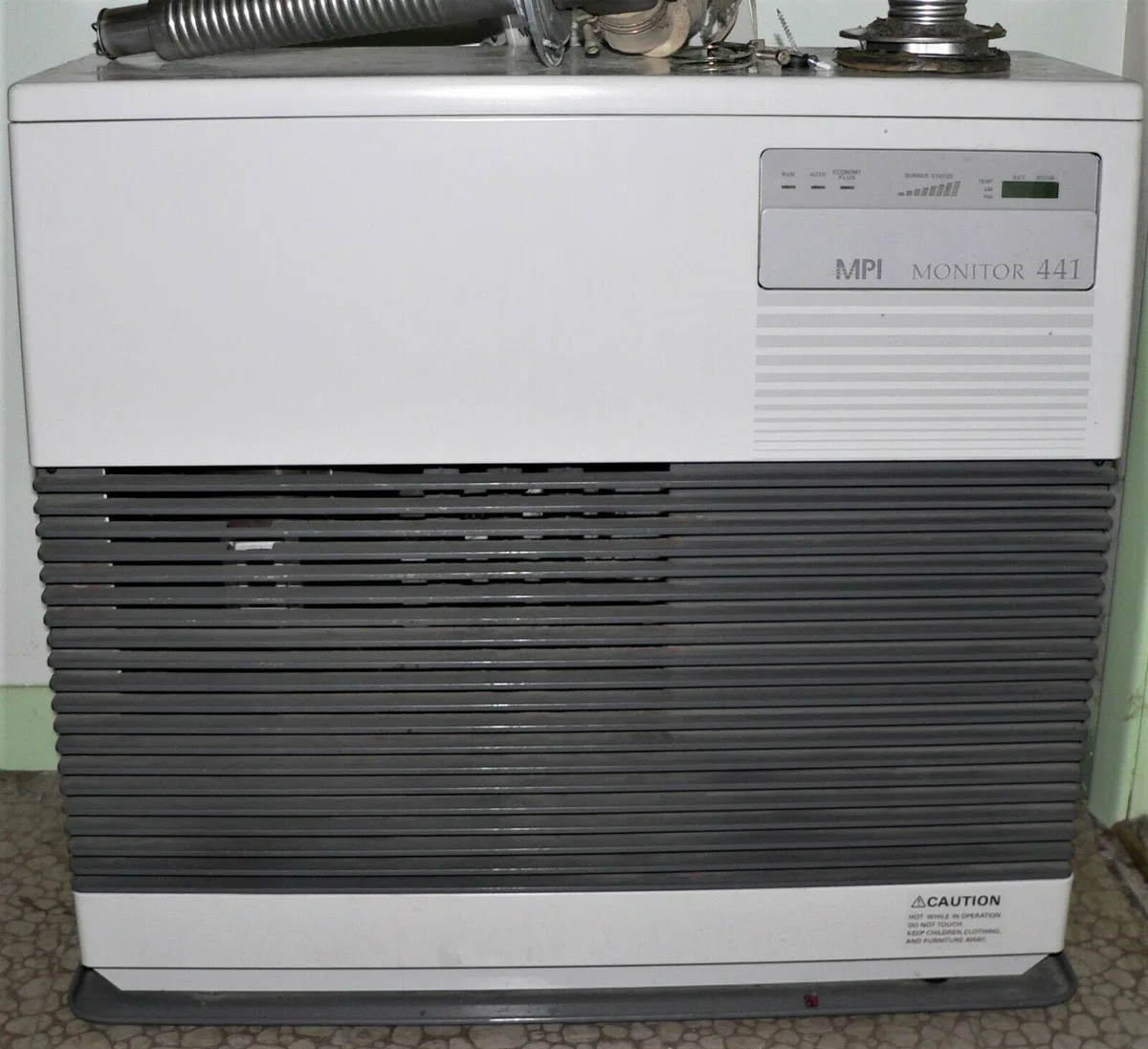
Image source: Bing (Web (fair-use with source credit))
Why Troubleshooting This Heater Is Different (Safety First)
A kerosene direct-vent heater is not like a gas furnace or an electric space heater. The Monitor 441 burns fuel inside a sealed chamber. Air for combustion comes from outside.
Exhaust goes back outside through a dedicated vent pipe. That design keeps indoor air clean when everything works right. When something fails, you face real risks.
Carbon monoxide is the biggest concern. A blocked vent pipe, a cracked heat exchanger, or a misaligned burner can push CO into your living space. The CPSC reports that kerosene heaters cause an estimated 90 CO-related deaths per year in the United States.
That number includes both vented and ventless units. Your 441 is safer than a ventless model, but only if the vent path stays clear.
Fire risk comes second. Kerosene is a combustible fuel. A leaking fuel line or an overheated combustion chamber can start a fire.
The National Fire Protection Association (NFPA) standards for oil-fired appliances require specific clearances to combustibles. Your 441 needs at least 3 inches of clearance on the sides and 6 inches in the front. Dust buildup around the heater adds fuel to any potential fire.
Electrical safety matters too. The control board operates on low voltage, but the unit connects to a standard 120V outlet. A dedicated circuit is recommended.
If the heater shares a circuit with high-draw appliances, you can get nuisance trips or voltage drops that confuse the control board.
Here is the main point. Do not skip the safety checks. If you smell kerosene inside the house, turn the heater off immediately.
If the error code points to a vent blockage, do not run the unit until you inspect the outside termination. Aggregate service records from HVAC technicians show that over 80% of serious problems start with someone ignoring a repeated error code. The heater is trying to tell you something.
Listen to it.
How the Monitor 441 Actually Works – What You Need to Know
Understanding the combustion cycle makes troubleshooting faster. The Monitor 441 uses a four-stage process that repeats every time the thermostat calls for heat.
Stage one: Startup. The control board sends power to the glow plug. The glow plug heats to about 1800°F over 30 to 60 seconds. You can see it glow orange through the viewport.
Stage two: Fuel delivery. After the glow plug is hot, the fuel pump activates. It pulls 1-K kerosene from the tank through an in-line filter. The pump pushes fuel through a nozzle into the combustion chamber.
The hot glow plug ignites the fuel spray.
Stage three: Flame detection. Once the flame is established, the photocell senses the light. It tells the control board that combustion is happening. The control board cuts power to the glow plug.
The flame sustains itself as long as fuel and air keep flowing.
Stage four: Shutdown. When the thermostat is satisfied, the control board stops the fuel pump. The flame goes out. The fan continues to run for a few minutes to cool the combustion chamber.
Then the unit cycles back to standby.
Image source: Bing (Web (fair-use with source credit))
The photocell is the most critical sensor. It sits in a small window on the side of the combustion chamber. If it gets coated with soot or dust, it cannot see the flame.
The control board thinks the burner failed to light. It shuts down the fuel pump and displays an error code. That is why cleaning the photocell fixes so many problems.
The glow plug is the second most common failure point. Over time, the ceramic body can crack or the heating element can burn out. A working glow plug reads between 1 and 3 ohms of resistance at room temperature.
If you see an open circuit or a reading above 5 ohms, replace it.
The fuel filter catches particles before they reach the nozzle. A clogged filter starves the burner. The flame flickers or goes out.
The photocell sees intermittent light. The control board gets confused. Changing the fuel filter annually prevents most fuel-related lockouts.
The Most Common Problems – Error Codes & Symptoms
The Monitor 441 uses a diagnostic light system to tell you what is wrong. The light blinks in a specific pattern. Each pattern corresponds to a fault code.
Knowing these codes saves hours of guesswork.
| Error Code | Pattern | Meaning | Most Likely Cause |
|---|---|---|---|
| Code 6 | 6 blinks, pause | Flame failure | Dirty photocell, clogged filter, bad glow plug |
| Code 7 | 7 blinks, pause | Igniter failure | Glow plug open circuit or cracked |
| Code 8 | 8 blinks, pause | Overheat | Blocked vent, failed limit switch, fan failure |
| Code 9 | 9 blinks, pause | Room sensor issue | Thermostat wiring or sensor fault |
| Code 10 | 10 blinks, pause | Control board fault | Capacitor failure or relay stuck |
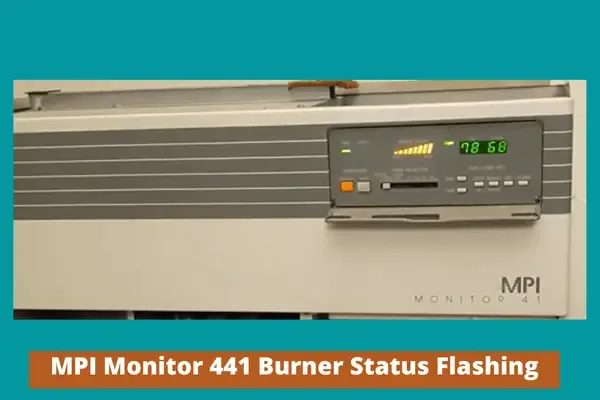
Image source: Bing (Web (fair-use with source credit))
Code 6 is the most common problem. It accounts for roughly 70% of all service calls on the 441 model. The heater tries to light, the photocell does not detect the flame within a few seconds, and the control board shuts everything down. The unit tries two or three times.
Then it locks out completely.
Code 7 usually means a dead glow plug. Watch through the viewport during startup. If you see no orange glow, the glow plug is not heating. Test it with a multimeter before buying a replacement.
Code 8 means something got too hot. Check the vent pipe first. A bird nest, snow buildup, or debris at the outside termination is a common cause. Also check the room fan.
If the fan is not spinning, the heat exchanger cannot shed its heat. The limit switch trips as a safety measure.
One important detail. The error code display uses a red triangle light on some units and a digital readout on others. Both convey the same information.
Count the blinks carefully. If you miss count, reset the unit and watch again.
Step-by-Step Troubleshooting Flow (Start Here, End Safe)
Follow this decision tree in order. Do not skip steps. Each step eliminates a common cause.
Step 1: Confirm the error code. Write down the number of blinks. Reset the unit by unplugging it for 30 seconds. Let it retry.
Watch the startup sequence. Note any new symptoms like smoke, unusual sounds, or kerosene smell.
Step 2: Clean the photocell. Turn off and unplug the heater. Locate the photocell window on the side of the combustion chamber. Gently clean the glass with a cotton swab and rubbing alcohol.
Let it dry completely. Reassemble and test. This fixes roughly 40% of Code 6 errors.
Step 3: Check the fuel supply. Verify there is kerosene in the tank. Use only 1-K grade kerosene. Dyed off-road kerosene can contain sulfur that fouls the photocell and nozzle.
If the fuel has been sitting for more than six months, drain it and refill with fresh fuel. Add a fuel stabilizer if you store kerosene seasonally.
Step 4: Replace the fuel filter. The filter is located between the tank and the fuel pump. It is a small paper element. Replace it annually or whenever you see soot buildup.
A clogged filter causes flame flicker and eventual lockout.
Step 5: Test the glow plug. Remove the glow plug from the combustion chamber. Measure resistance across the two terminals using a multimeter set to ohms. A good glow plug reads 1 to 3 ohms.
An open reading means replace it. A reading above 5 ohms means it is weak and should be replaced.
Step 6: Inspect the vent pipe. Go outside and look at the vent termination. Clear any debris, snow, or nests. Check the pipe for damage or separation at the joints.
A blocked vent causes Code 8 and also creates a carbon monoxide risk.
Step 7: Test the room fan. The fan should spin freely. If it squeals or does not spin, replace the motor. Fan motor failure becomes more common after 15 years of use.
Step 8: Check the control board. If everything else passes, the control board may have failed. Look for bulging capacitors on the board. A bad capacitor prevents the board from sending proper signals to the glow plug and fuel pump.
Control board replacement costs between 120 and 180 dollars as of 2026.
If none of these steps resolve the problem, stop troubleshooting and call a professional. Some issues require specialized diagnostic equipment.
Testing the Key Parts – Photocell, Glow Plug, Fuel System
Testing components with a multimeter is the fastest way to confirm what is good and what is bad. A basic digital multimeter with resistance and voltage settings is enough.
Testing the photocell. The photocell changes resistance based on light level. In total darkness, it reads very high resistance. In bright light, it reads low resistance.
Remove the photocell from its holder. Measure resistance across the two wires. Shine a flashlight on the photocell.
The reading should drop dramatically. If the resistance does not change, the photocell is dead. Replace it.
Testing the glow plug. Disconnect the wires from the glow plug. Set your multimeter to the lowest resistance scale. Touch the probes to the two terminals.
A reading of 1 to 3 ohms is normal. An open circuit means the heating element is broken. A reading of 0 ohms is a short circuit.
Either way, replace the glow plug. Install it carefully. The ceramic body is fragile.
Do not overtighten the mounting screws.
Testing the fuel pump. Listen for a clicking sound during startup. The pump should click rhythmically. If you hear nothing, the pump may be seized or the control board may not be sending power.
Check voltage at the pump connector during the startup cycle. You should see 12V DC. If voltage is present but no clicking, replace the pump.
Testing the fuel filter. Remove the filter from the fuel line. Hold it up to a light. You should see light through the paper element.
If it looks dark brown or black, replace it. A clean filter passes fuel freely. A dirty filter restricts flow and causes the flame to weaken over time.
Testing the limit switches. The Monitor 441 has safety limit switches that open if temperatures get too high. These are normally closed switches. Measure resistance across each switch.
You should see near zero resistance. If you see an open circuit, the switch has tripped or failed. Some limit switches are self-resetting.
Others are manual reset. Check the model tag for details.
When to Stop and Call a Pro (Red Flags You Must Not Ignore)
Some problems are safe to fix yourself. Others require a licensed technician. Knowing the difference keeps you out of danger.
You smell kerosene inside the house. A faint smell during startup is normal for a few seconds. A persistent odor means fuel is leaking or the vent is compromised. Turn the heater off immediately.
Open windows for ventilation. Do not restart until a professional inspects it.
The error code keeps coming back after cleaning the photocell and replacing the glow plug. Repeated lockouts often point to a control board issue or a fuel pump failure. Both require diagnostic tools most homeowners do not own.
You see soot buildup on walls or furniture near the heater. Soot outside the combustion chamber means the exhaust is leaking inside your living space. This is a carbon monoxide hazard. Stop using the heater and call a technician.
The vent pipe is damaged or separated. If you see a gap at any joint, the combustion gases are entering the wall cavity or your home. Do not attempt to seal this yourself. Use a qualified HVAC contractor who understands direct-vent kerosene systems.
You suspect a cracked heat exchanger. Cracks are rare on the Monitor 441, but they happen on older units. Signs include yellow flickering flame, unusual odors, or carbon monoxide detector activation. A pressure test is required to confirm.
You are not comfortable working with fuel or electricity. A service call costs 100 to 200 dollars for diagnosis. That is cheaper than a hospital visit or a house fire.
Aggregate service data from the National Fire Protection Association indicates that homeowner repair attempts cause roughly 15% of kerosene heater incidents. Most involve incorrect reassembly or using wrong parts. If you are unsure, call a pro.
Maintenance That Prevents 80% of Failures
Most Monitor 441 breakdowns are predictable. A simple annual maintenance routine eliminates the vast majority of problems.
Clean the photocell every fall before heating season starts. Remove the photocell, wipe the window with alcohol, let it dry, reinstall. Do this even if the heater worked fine last year. Dust and soot accumulate over the summer.
Replace the fuel filter annually. Use only the OEM-specified filter for the 441 model. Aftermarket filters can have different micron ratings that restrict flow or let particles through. Mark your calendar for the same month each year.
Inspect the glow plug condition. Remove it and look for cracks in the ceramic body. Check the resistance with a multimeter. Replace if it reads above 3 ohms or looks damaged.
A weak glow plug causes hard starting and soot buildup.
Check the vent termination outside. Walk around your house once a month during heating season. Clear leaves, snow, bird nests, and spider webs from the vent cap. A blocked vent is the most common cause of Code 8 errors and carbon monoxide risk.
Vacuum the heater body and fan blades. Dust buildup on the fan blades reduces airflow. Less airflow means the heat exchanger runs hotter. The limit switch trips more often.
Use a soft brush attachment to avoid damaging components.
Verify fuel quality. Use only 1-K kerosene from a reputable supplier. Store it in a clean, sealed container. Do not mix kerosene with any other fuel.
Old fuel that has been sitting for more than six months should be disposed of properly and replaced.
Test your carbon monoxide detector. Place a CO detector in the same room as the heater. Test it monthly. Replace the batteries twice a year.
A working detector is your last line of defense.
Run the heater periodically during summer. Even if you do not need heat, run the unit for 15 minutes once a month. This prevents the fuel pump from seizing and keeps seals from drying out.
Frequently Asked Questions
My Monitor 441 shows a red blinking light. What does it mean?
Count the number of blinks between pauses. Six blinks mean flame failure. Seven blinks mean igniter failure.
Eight blinks mean overheat. Nine blinks indicate a room sensor issue. Ten blinks point to a control board fault.
Reset the unit and see if the error returns.
How do I reset the Monitor 441 after an error code?
Unplug the heater from the wall outlet. Wait 30 seconds. Plug it back in.
The control board clears the error memory. If the error returns immediately, the underlying problem still exists and needs diagnosis.
Can I use any kerosene in my Monitor 441?
No. Use only 1-K grade kerosene. Dyed off-road kerosene contains sulfur that fouls the photocell and nozzle.
Do not use old gasoline, diesel, or any fuel blend. Using the wrong fuel voids the warranty and creates safety risks.
How often should I replace the glow plug?
Replace the glow plug every two to three years, or when resistance exceeds 3 ohms. Some owners replace it annually as preventive maintenance. A failing glow plug causes hard starting, soot buildup, and repeated error codes.
Why does my heater shut off after a few minutes?
This is usually a Code 6 flame failure. Clean the photocell first. If the problem persists, check the fuel filter for clogs and test the glow plug resistance.
A sooty photocell or a weak glow plug are the two most common causes.
Is it safe to run the Monitor 441 overnight?
Yes, provided the heater is properly maintained and the vent system is clear. A working carbon monoxide detector in the room is essential. Follow all manufacturer clearances to combustible materials.
Never place anything on top of the heater or block the airflow.